

Move Near Your Allies
Choose a destination near your alliance, bring troops home, and use Base Teleport to prepare for rallies and reinforcement.
Topics covered: Base Teleport Guide: Move Near Your Alliance | Interstellar Empires
Use a Base Teleport to move your planet close to allies and their Ephoran Vault. Shorter travel makes it easier to reach rallies before departure and to exchange reinforcements.
What you need
Have a Base Teleport item and access to the Galaxy Map through a built Galactic Observatory. Join your intended alliance first so you can identify its vault and territory. Base Teleport moves your entire base to a coordinate you choose; Random Teleport chooses a random location and will not reliably place you near allies.
1. Find where your alliance is gathering
Open your alliance page and select the vault coordinate link to focus the Galaxy Map. Read chat and announcements in case leadership has requested a different meeting location. Choose a free coordinate near the vault and other members, preferably inside your alliance's territory.
A nearby base has less distance to cover when joining a rally leader. This matters because your joining fleet must arrive before the rally departs. Nearby members are also easier to reach with reinforcements during event preparation.
2. Bring your deployed troops home
Finish or recall your marches, gathering fleets, garrisons, and reinforcements you have sent elsewhere. Wait until they actually return. Troops training or healing at home do not need to be deployed or cancelled for the move.
If another player's reinforcements are stationed at your base, arrange for them to be withdrawn first. Their presence blocks teleportation. Plan your move before an event starts rather than trying to move while your forces are committed.
3. Select an empty coordinate, then Teleport base
Select the free destination on the Galaxy Map, then choose Teleport base in its action menu. The destination must be empty and outside enemy alliance territory. You cannot move onto the vault itself or another occupied object.
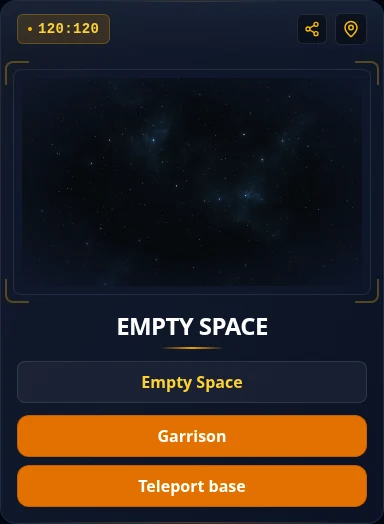
4. Confirm the item use
Review the item confirmation and confirm only when you are ready to spend the teleport. If you previously disabled item confirmations, selecting the action can use it immediately.
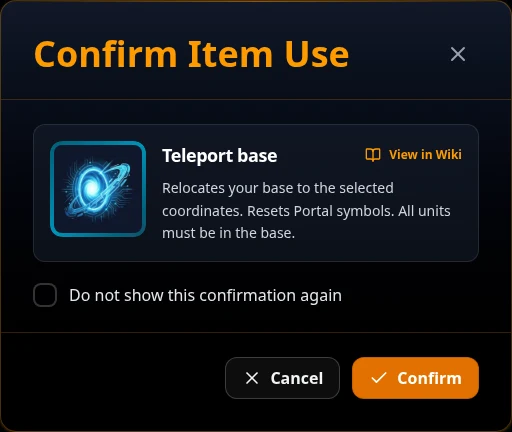
5. Check your new home and Portal address
Verify that your planet is at the intended coordinate and near the alliance group. Teleporting also changes your Portal address, so share your current address when someone needs it.
Moving does not join a rally or send reinforcements. Open the event's rally card or the target's actions and choose your units separately. Being inside alliance territory gives allied troops its combat bonuses, but does not provide a shield or guaranteed protection.
If teleportation fails
- Units are away: inspect your military activity and wait for every deployed group to return.
- Hosted reinforcements: ask the supporting member to withdraw them and wait for the withdrawal.
- Location occupied or enemy territory: choose another free coordinate near your alliance.
- No teleport item: check your backpack. Random Teleport is a different item and destination method.
Continue with Your First Vault Event. For item rules, see Base Teleport and Random Teleport.

